


The Question Limit Is Per Account, Not Per Site
The question limit is per account, across all your sites. It is not a per-site limit.
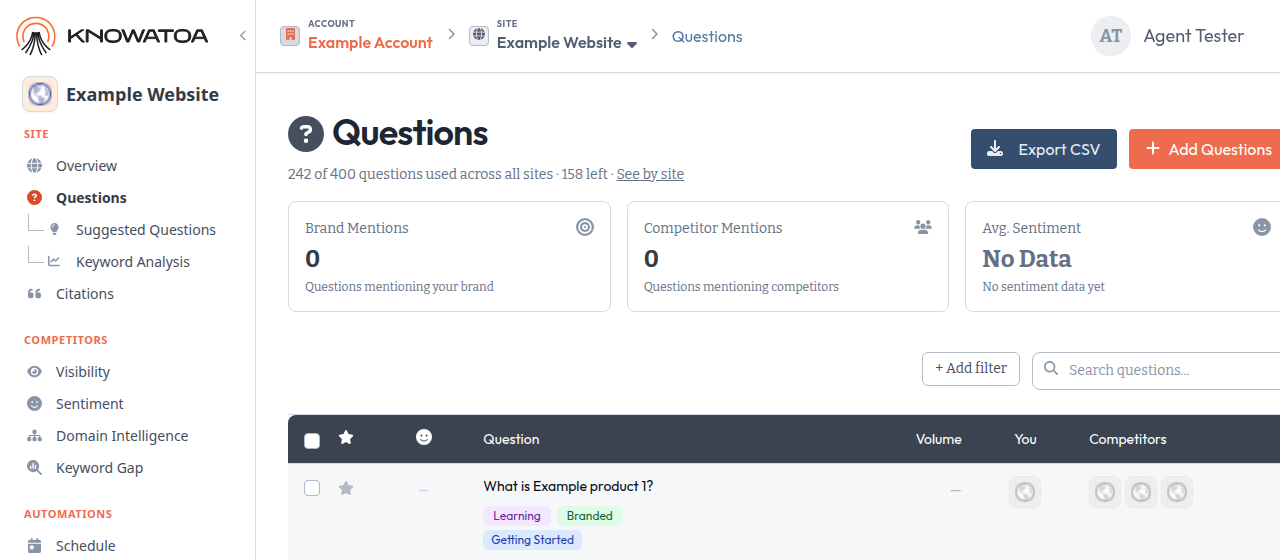
The old Total Questions card on the Questions page is gone. It showed a site count next to the account limit, which made it look like each site had its own cap.
You can now see how many questions you have left in three places.
Where to see what’s left
On the Questions page, a line under the title reads like this: 242 of 400 questions used across all sites · 158 left · See by site. See by site opens the account Sites page.
On each site’s Overview, a caption under the title reads like this: This site: 180 questions · 158 of 400 left across all sites. The second half of the line opens the Sites page.
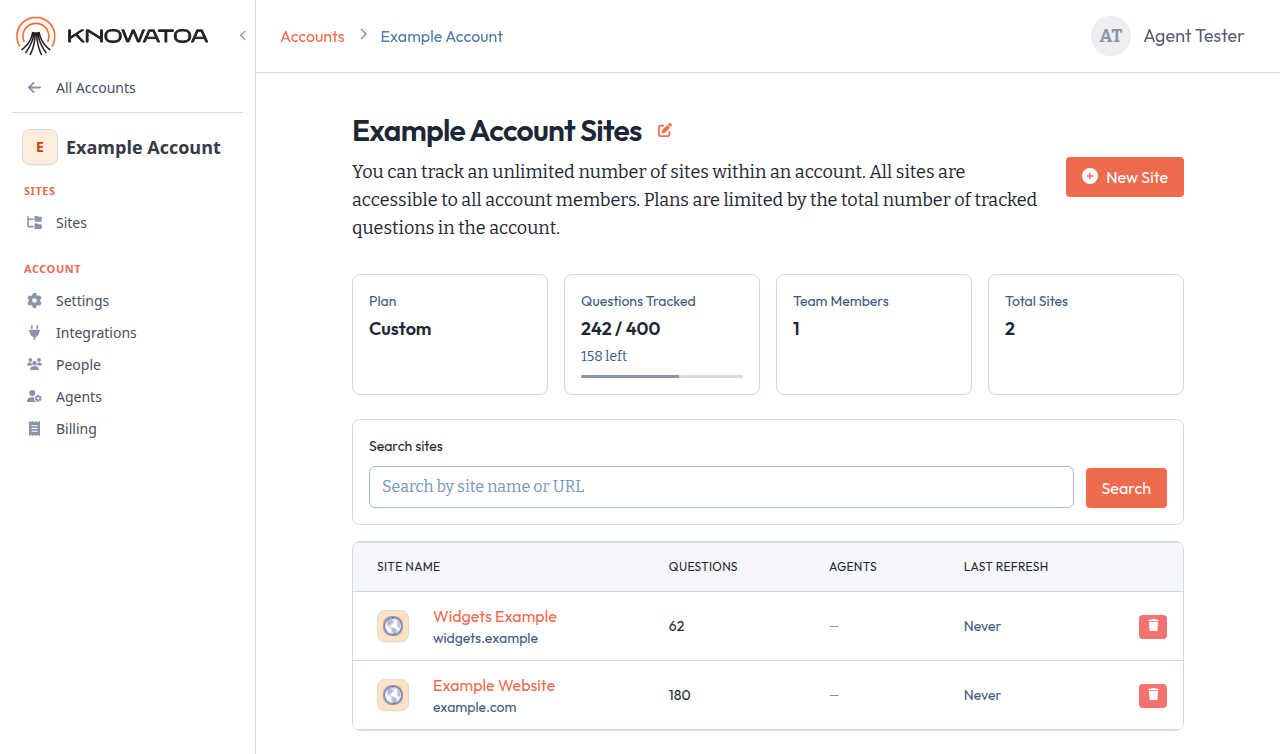
On the Sites page, the Questions Tracked card still shows used / limit, and now also shows how many are left, with a thin usage bar. The Questions column in the sites table is the breakdown by site.
When you are close to the limit
If you have used 90% or more of the limit, the Questions line and the Sites card turn amber and an Upgrade link appears. The Overview caption does not change.
At the limit, Add Questions stays disabled, as before.
See What are Sites? for the details.