

Suggested Questions Now Refresh When You Change Language or Country
Suggested questions follow the language and country on the site. If those were wrong when the list was first built, or you later move a site to a different country, you can get a fresh list without asking support.
Refresh the list yourself
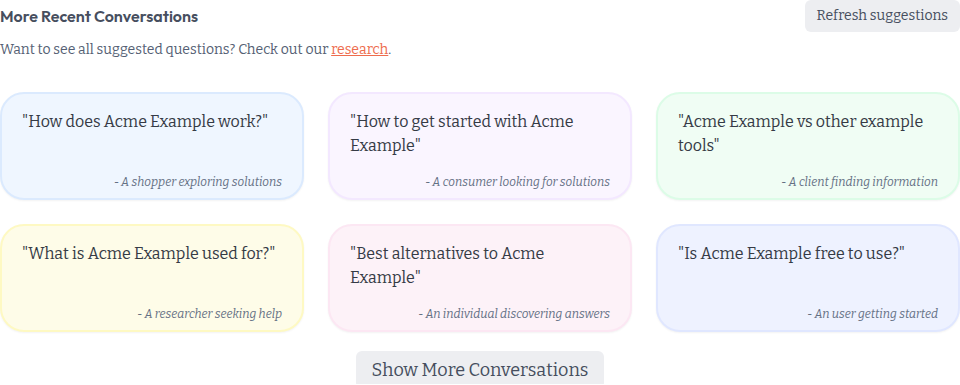
On the Questions page, More Recent Conversations now shows even when the list is still empty, as long as the site has a website URL. Click Refresh suggestions. You will see: Refreshing suggestions from ranked keywords. This may take a minute.
The same button is on the Research page, next to Suggested Questions.
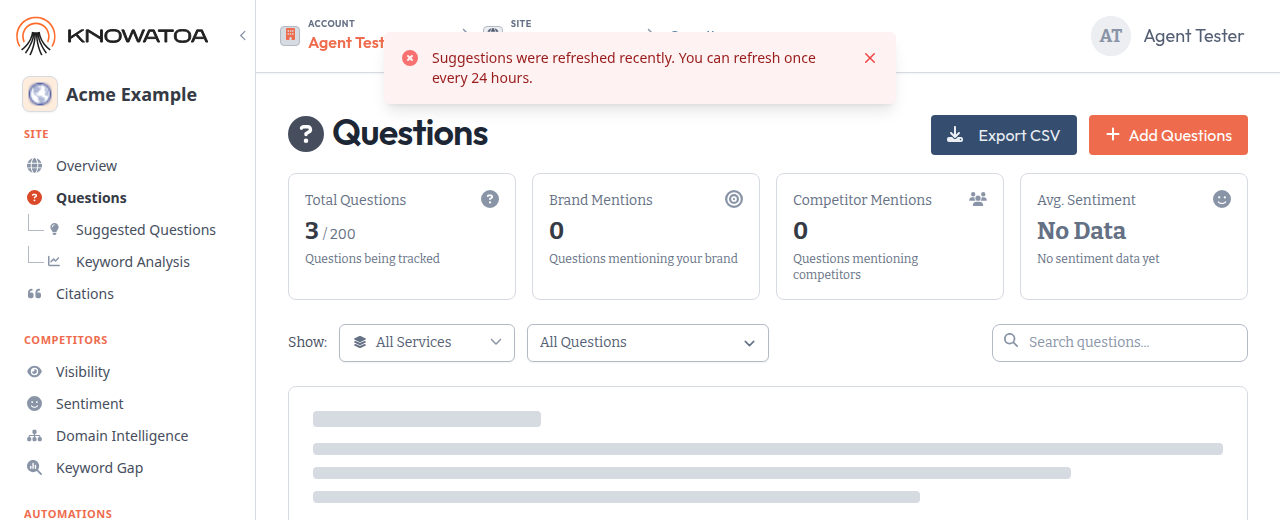
You can use it once every 24 hours on each site. The button and automatic refreshes share this same 24-hour limit. If you click it again sooner, you will see: Suggestions were refreshed recently. You can refresh once every 24 hours. If a refresh is already in progress, you will see: A refresh is already running.
After you change language or country
To change a site’s language or country, go to Site Settings, open Configuration, and update Default Language for New Questions or Default Country for New Questions. Click Update Site.
Untracked suggested questions then refresh on their own about 5 minutes later, in the new language and country. This can happen up to 3 times in 24 hours. An automatic refresh starts the button’s 24-hour clock. Using the button does not count toward the 3 automatic refreshes. If automatic refreshes have already run 3 times in 24 hours, the site still saves, and you will see: Suggestions were not refreshed because they already refreshed 3 times in the last 24 hours. You can refresh again within 24 hours.
What stays put
Tracked questions and existing answers are not changed. Questions you added yourself stay, as do pinned or tagged suggestions. Only untracked suggestions that do not match the site’s current language and country are removed.
See Using Rankings and Research Tabs and Why are my AI results showing the wrong country? for the details.