

Automated CSV Export
Knowatoa automatically delivers your AI search visibility reports to your inbox on the schedule you choose: daily, weekly, or monthly. No more manual downloads.
Why This Matters for AI Search Marketing
Consistent data delivery ensures your team stays informed about AI search performance without manual effort.
Always Up-to-Date
Fresh data arrives automatically before meetings, reports, and reviews. Never scramble for last-minute exports.
Keep Everyone Informed
Executives, clients, and team members receive AI search updates on the schedule that works for them.
Build Data Archives
Automatic exports create timestamped snapshots for compliance, long-term analysis, and historical comparison.
Automatic Data Delivery
Set it once, get fresh data delivered to your tools automatically.
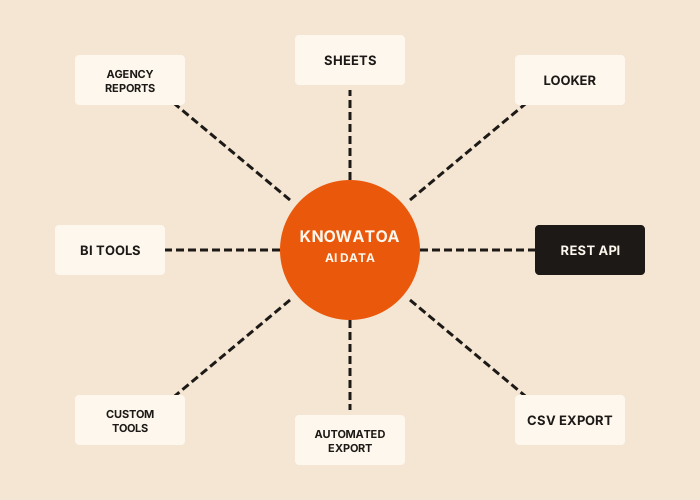
Automate Your Reporting Workflow
Automated CSV Export eliminates manual data extraction so you can focus on analysis and action.
Eliminate Manual Work
Set up scheduled exports once and stop spending time generating reports manually every day, week, or month.
Ensure Consistency
Get the same data format at the same time each period without human error or forgotten exports.
Enable Proactive Monitoring
Receive fresh data in your inbox before meetings, enabling data-driven discussions without last-minute scrambling.
Build Historical Archives
Automatically create a data library for long-term trend analysis. Each export becomes a timestamped snapshot.
Support Multiple Stakeholders
Send different export schedules to different teams or recipients based on their needs and preferences.
Reliable Delivery
Never miss important data. Exports arrive on schedule whether you're in the office, traveling, or on vacation.
How Automated CSV Export Works
Set up automated exports in minutes and start receiving data on your schedule.
Choose Your Data
Select which metrics to include: visibility scores, rankings, mentions, citations, competitor data, or everything.
Set Your Schedule
Pick daily, weekly, or monthly delivery. Choose the day and time that works best for your workflow.
Add Recipients
Enter email addresses for yourself and anyone else who should receive the exports automatically.
Receive Automatically
Exports arrive in your inbox on schedule. Open the attached CSV in Excel, Sheets, or any analysis tool.
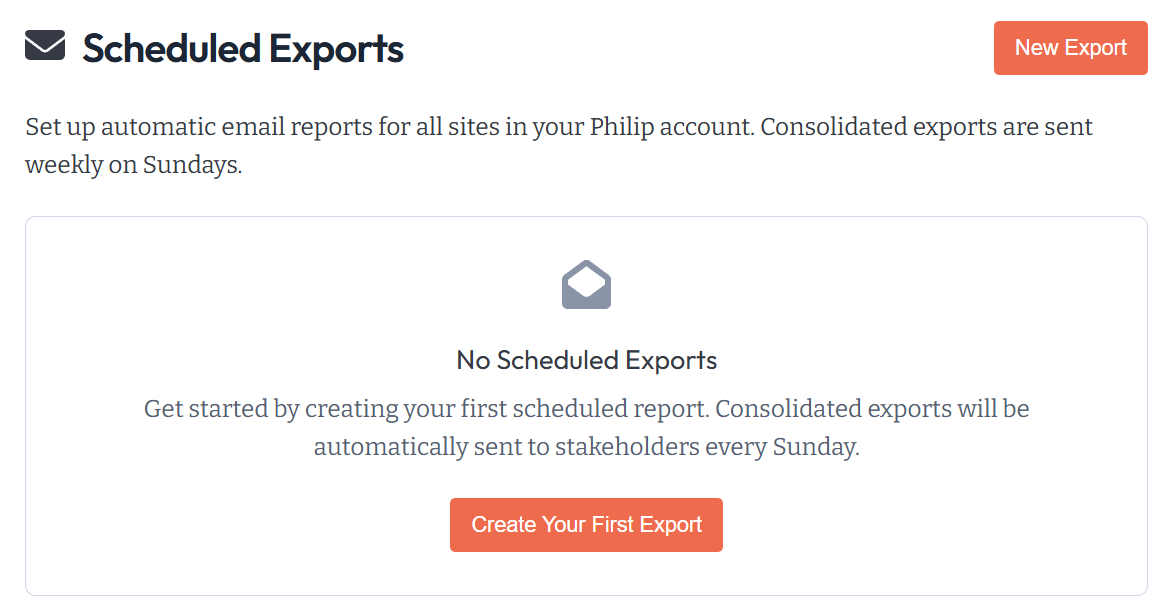
More Data Integration Options
Automated CSV Export is one of several ways to work with your Knowatoa data.
CSV Export
Manual downloads when you need data on-demand instead of on a schedule.
API Access
Programmatic access for custom automation and real-time integrations.
Google Sheets
Direct export to Sheets for team collaboration and real-time sharing.
Looker Studio
Build interactive dashboards instead of receiving flat data files.
NinjaCat
Unified agency reporting for clients who need multi-channel views.
Historical Tracking
Track visibility trends over time alongside your automated exports.
Related Guides
In-depth information and how-to guides on getting the most out of Knowatoa and your search marketing.


What Marketers Are Saying
Hear from marketing leaders who use Knowatoa to track their AI search visibility.
"Knowatoa solves a real problem for marketers. AI search is already taking over a big chunk of Google's results, and we're jumping in at exactly the right time."

CEO, GrowthHit
"Knowatoa revealed insights that completely changed how I think about brand, website, and content distribution. It's not just a tool, it's a smarter way to approach visibility."

CEO, Castos
Why Knowatoa
Manual data pulls waste time and introduce inconsistency. Knowatoa delivers fresh, recommendation-enriched data on your schedule, so reporting happens automatically and analysis can start immediately.
Recommendations Delivered
Each scheduled export includes actionable recommendations. Not just data, but what to do about it.
Fresh Real Query Data
Every export contains actual AI responses from recent queries. No stale estimates or cached data.
All 7 Platforms Covered
Automated exports include data from ChatGPT, Claude, Perplexity, Gemini, Meta AI, Copilot, and SearchGPT.
Historical Trend Comparisons
Each export includes period-over-period comparisons so you can see trends without additional analysis.
Automate Your AI Search Reporting
Stop manually downloading data. Set up automated exports and receive fresh AI search insights on your schedule.