

CSV Export
Knowatoa lets you download your AI search visibility data anytime in CSV format. Perfect for custom analysis, executive reports, and integrating with your existing tools.
Why This Matters for AI Search Marketing
Portable data means flexible analysis. CSV exports let you work with AI search insights your way.
Custom Analysis Freedom
Apply your own formulas, create custom metrics, and build analysis tailored to your specific business questions.
Stakeholder Reporting
Build executive reports and client presentations that tell the AI search story in formats stakeholders prefer.
Cross-Platform Integration
Merge AI search data with SEO tools, CRMs, and marketing platforms that accept CSV imports.
Export to Any Destination
CSV files work with virtually any tool in your marketing stack.
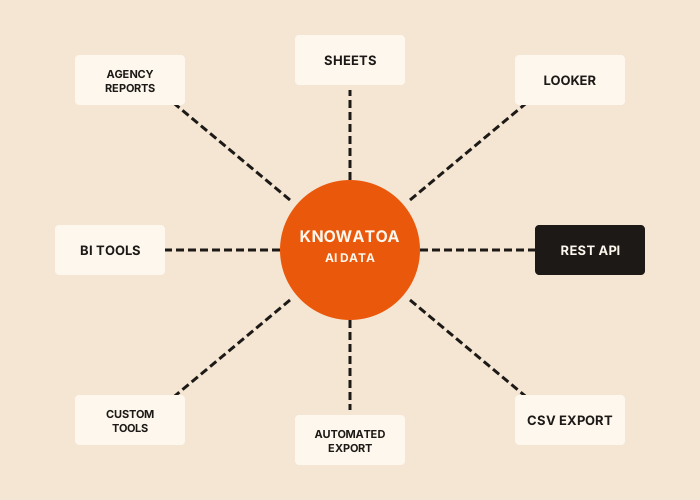
Your Data, Your Way
CSV Export gives you full control over your AI search data for analysis and reporting beyond the Knowatoa dashboard.
Create Custom Reports
Export data to build presentations and reports tailored to specific stakeholders and executives.
Deep Data Analysis
Use Excel pivot tables or data analysis tools to find patterns not visible in the standard UI.
Historical Comparisons
Export data at regular intervals to build your own historical tracking database for long-term analysis.
Share with Clients
Provide clean, professional data exports to demonstrate value and progress to clients.
Cross-Platform Analysis
Combine Knowatoa data with other marketing metrics for comprehensive performance views.
Backup Your Data
Maintain local copies of your AI search data for compliance, archival, or disaster recovery purposes.
How CSV Export Works
Download your data in seconds with our streamlined export process.
Select Your Data Type
Choose what to export: rankings, brand mentions, competitor data, citations, or full response outputs.
Choose Date Range
Select a specific time period or export all historical data available in your account.
Apply Filters (Optional)
Filter by topic, AI platform, question type, or specific keywords to narrow your export.
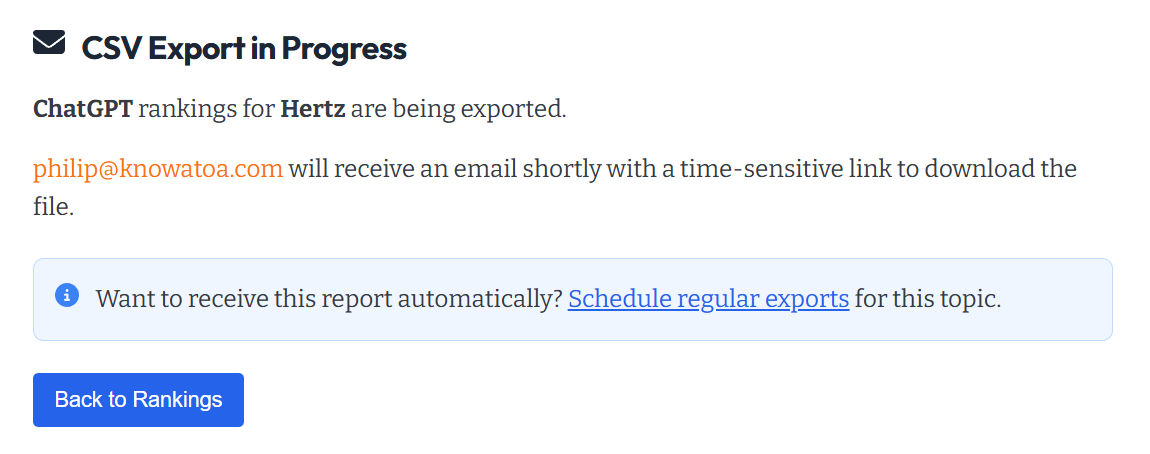
Download Instantly
Click export and your CSV file downloads immediately, ready for Excel, Google Sheets, or any analysis tool.
More Data Integration Options
CSV Export is one of several ways to work with your Knowatoa data.
Automated CSV Export
Schedule automatic exports delivered to your inbox daily, weekly, or monthly.
API Access
Programmatic access to all your data for custom integrations and automation.
Google Sheets
Direct export to Google Sheets for team collaboration and real-time sharing.
Looker Studio
Build custom dashboards combining AI search with other marketing data.
NinjaCat
Integrate AI search data into unified marketing reports for agencies.
Historical Tracking
Track visibility trends over time to measure progress and identify patterns.
Related Guides
In-depth information and how-to guides on getting the most out of Knowatoa and your search marketing.


What Marketers Are Saying
Hear from marketing leaders who use Knowatoa to track their AI search visibility.
"Knowatoa solves a real problem for marketers. AI search is already taking over a big chunk of Google's results, and we're jumping in at exactly the right time."

CEO, GrowthHit
"Knowatoa revealed insights that completely changed how I think about brand, website, and content distribution. It's not just a tool, it's a smarter way to approach visibility."

CEO, Castos
Why Knowatoa
Your data shouldn't be trapped in one tool. Knowatoa exports include not just raw metrics but our recommendations and priority scores, so your analysis starts with insights, not just numbers.
Recommendations Included
Export includes actionable recommendations alongside raw data. Not just numbers, but what to do about them.
Real AI Response Data
Every export contains actual responses from AI systems, not estimates or simulated data.
All 7 Platforms in One File
Export data from ChatGPT, Claude, Perplexity, Gemini, Meta AI, Copilot, and SearchGPT together for unified analysis.
Full Historical Range
Export any date range from your account history. Build longitudinal studies and track progress over time.
Take Your Data Anywhere
Export your AI search data and analyze it with your favorite tools. Your data, your way.