

Connect with ChatGPT
Requirements
- A paid ChatGPT account (Plus, Team, or Enterprise). MCP connectors are not available on the free tier.
- A Knowatoa account
- The ChatGPT web app. As of June 24, 2026, this setup does not work in the ChatGPT desktop app.
Setup
Heads up: MCP support in ChatGPT is a paid-tier feature. If you don’t see Apps, App Preferences, or Advanced settings, your account may not have access to custom MCP apps yet.
Open App Preferences
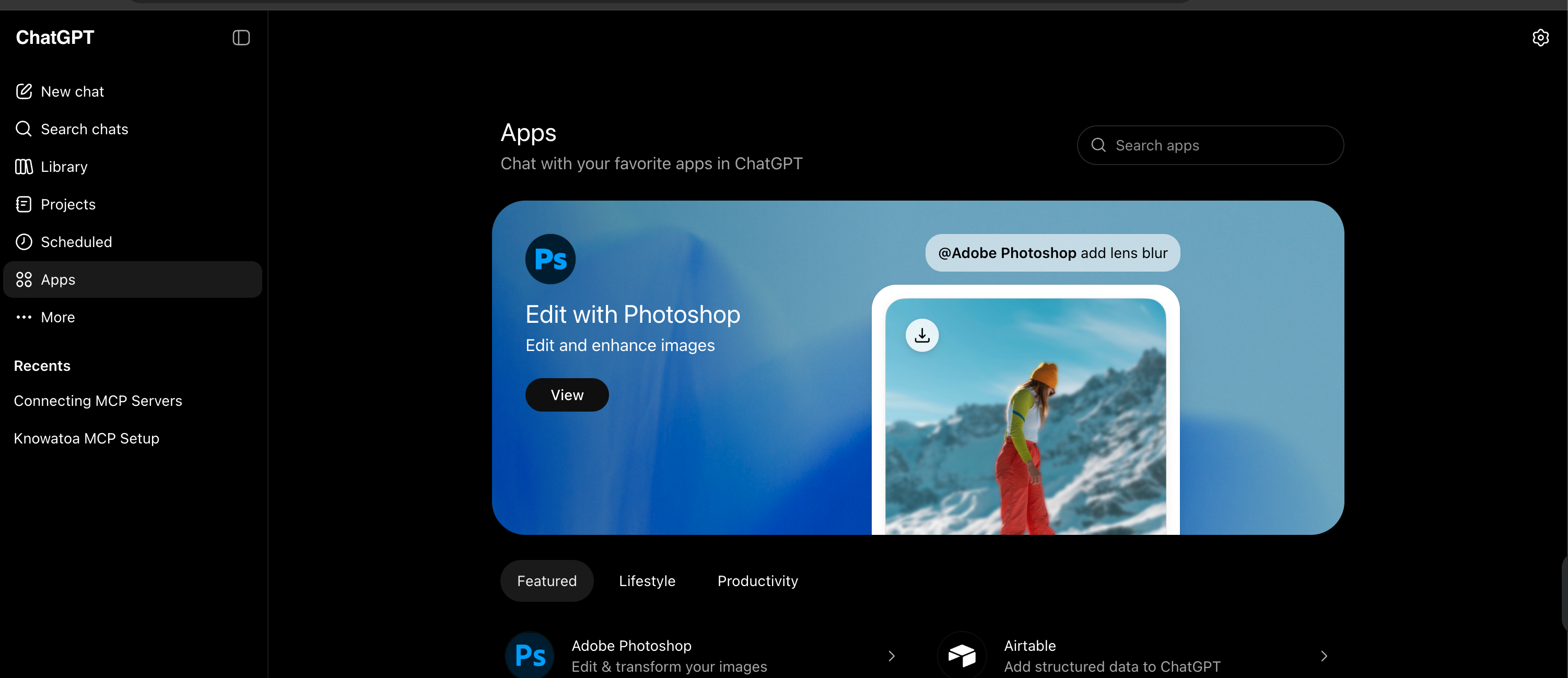
- Open the ChatGPT web app in your browser.
- Click Apps in the left sidebar.
- Click the gear icon in the top-right corner to open App Preferences.
Create The App
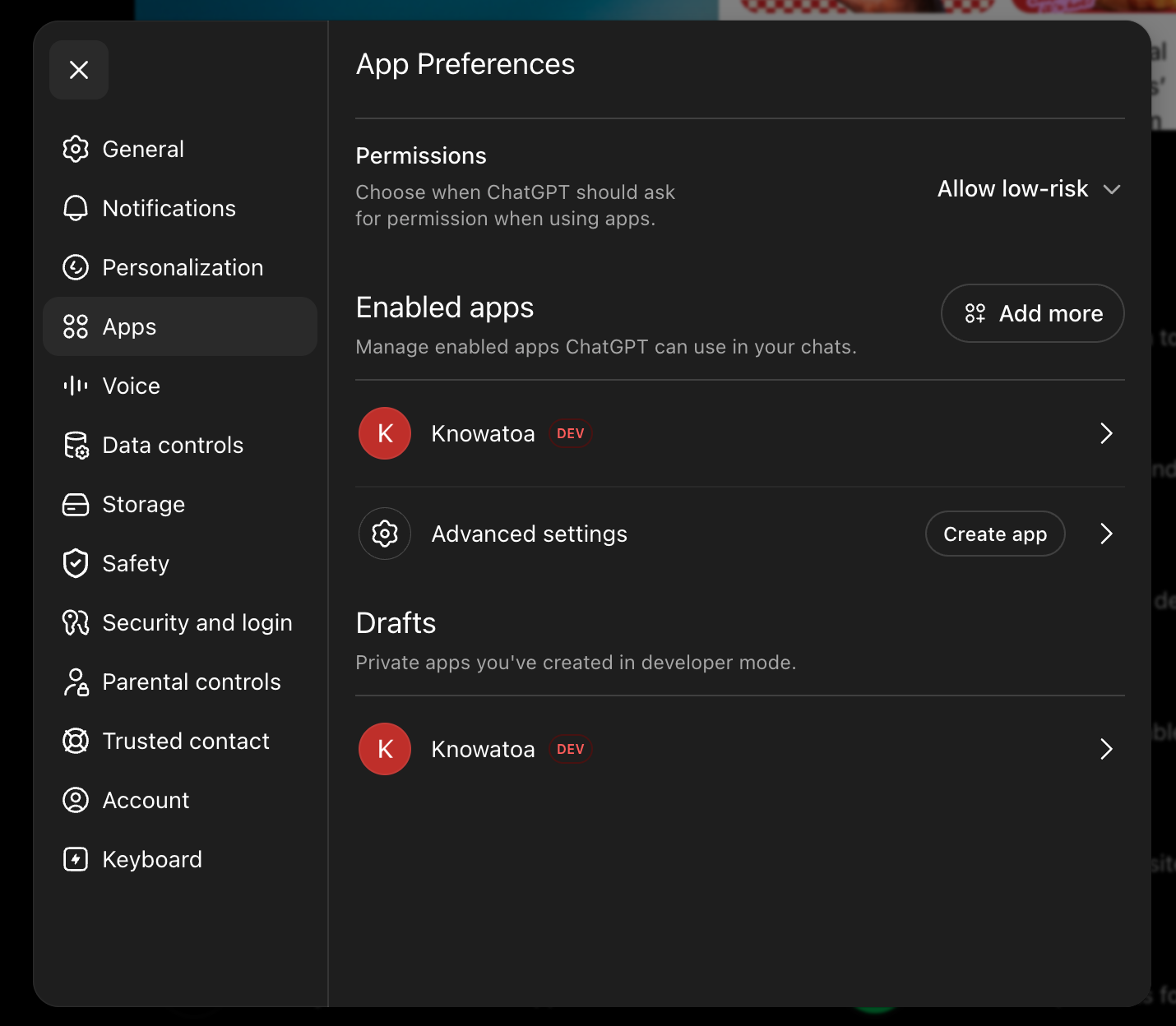
- Select Apps in the App Preferences sidebar.
- Under Advanced settings, click Create app.
Add The Knowatoa Server
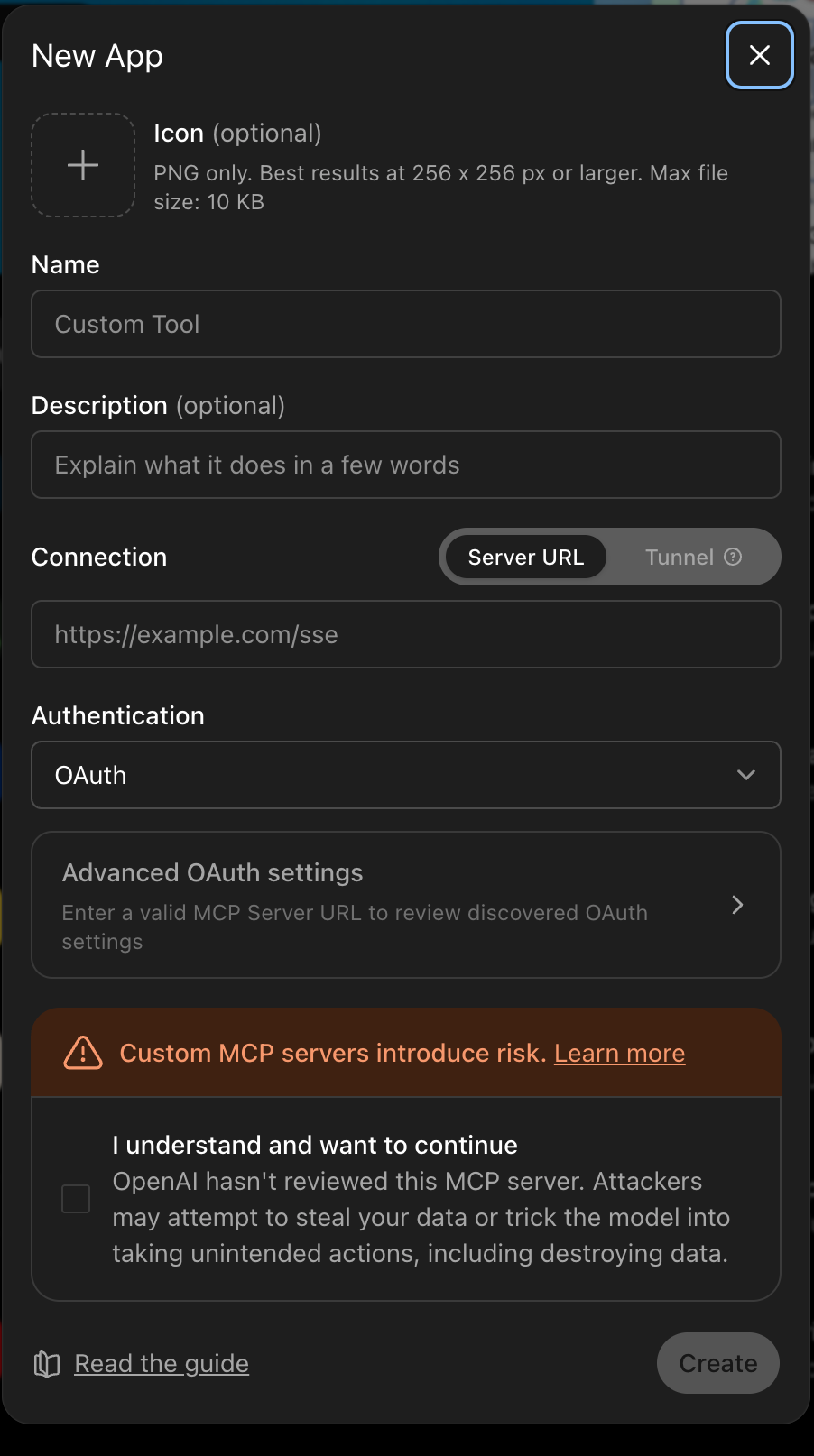
- Enter a name, such as
Knowatoa. - Under Connection, keep Server URL selected and enter:
https://knowatoa.com/mcp
- Keep Authentication set to OAuth.
- Check I understand and want to continue. ChatGPT shows this warning because custom MCP servers can access data and perform actions through your account.
- Click Create.
Enable Permissions
- Sign in to Knowatoa when ChatGPT opens the OAuth authorization flow.
- Return to App Preferences → Apps and open the Knowatoa app.
- Set Permissions to Allow all so ChatGPT can run the Knowatoa actions in developer mode.
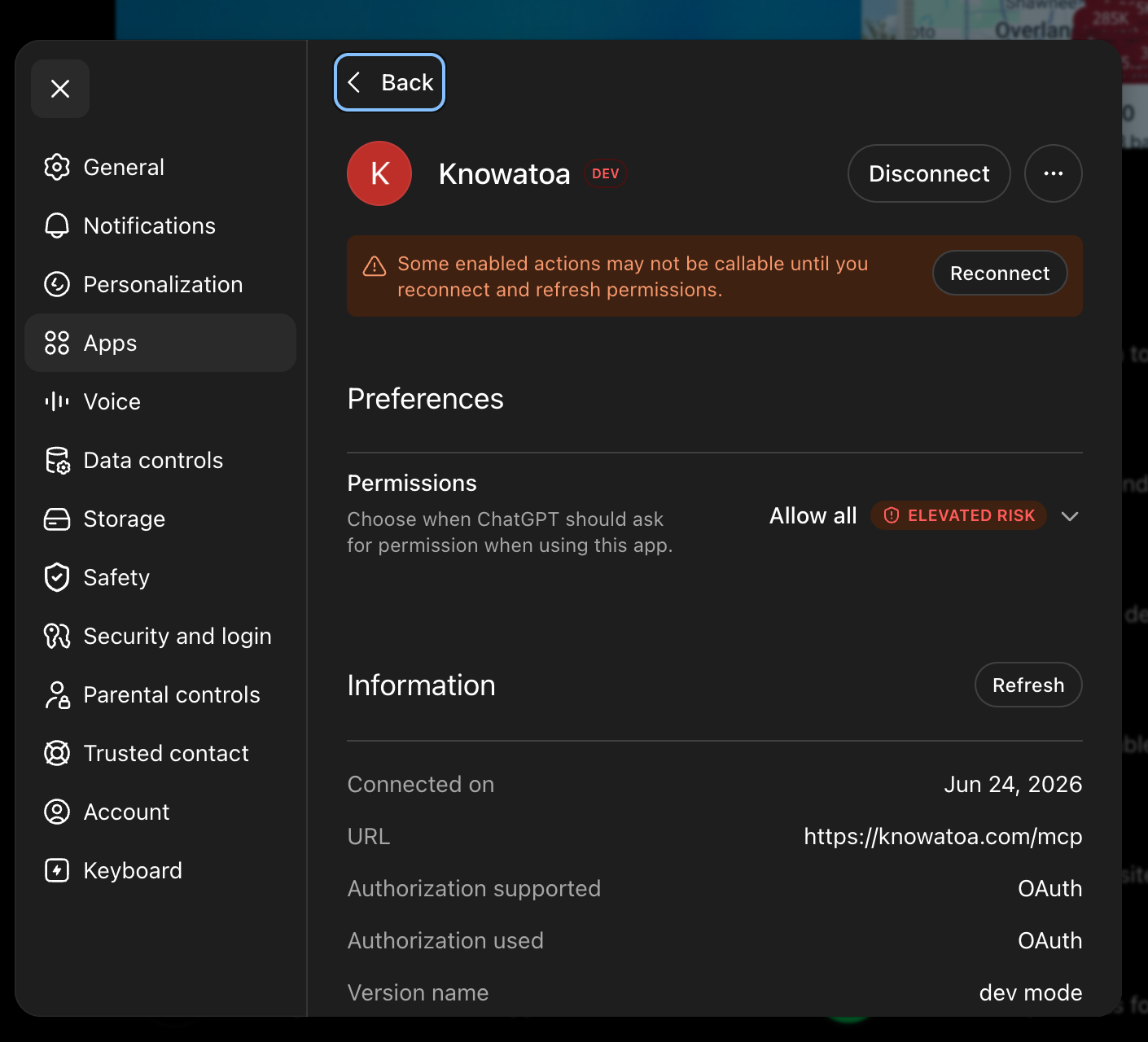
After those steps, Knowatoa should appear as an enabled app in ChatGPT with the https://knowatoa.com/mcp URL and OAuth authorization.
Usage
Once connected, ask ChatGPT about your AI search data:
- “How is my brand appearing in AI search?”
- “Show me my visibility breakdown by AI service”
- “Which competitors are mentioned more than me?”
- “What’s the sentiment for my brand across AI services?”
Troubleshooting
Browser login doesn’t complete Check that you’re signing in with the same email address associated with your Knowatoa account.
Authentication error Tokens refresh automatically in the background. If you ever do get an auth error, sign in again — that usually means the refresh token was revoked or your client cleared it.
MCP not available in your ChatGPT plan MCP support requires ChatGPT Plus, Team, or Enterprise. Free accounts do not currently support MCP connections.
I don’t see Create app or Advanced settings Use the ChatGPT web app, not the desktop app. If the web app still does not show these options, your ChatGPT account may not have developer-mode app access yet.
Actions are unavailable after connecting Open App Preferences → Apps → Knowatoa, refresh or reconnect the app if prompted, and set Permissions to Allow all.
Reads work but add_question keeps asking to reconnect
Writing needs mcp_write. Knowatoa now grants read and write on every OAuth sign-in, even if ChatGPT asks for read-only. Delete the Knowatoa app in ChatGPT App Preferences and create it again so a full authorize runs — token refresh alone will not fix an older read-only connection. Permissions must stay Allow all.