

How to Filter the Overview
Your site’s Overview shows visibility over time, how often you’re seen in AI search, competitor visibility, sentiment, citations, and recent chats. You can narrow all of it with filters.
Pick a date range
The dropdown at the top left sets the date range: All Time, Today, Yesterday, Last 7 Days, Last 14 Days, Last 30 Days, or Custom Range. Custom Range shows a start and end date. Your choice is saved for the next time you open a report in this account.
Add a filter
Click + Add filter at the top right. Pick a category, then a value.
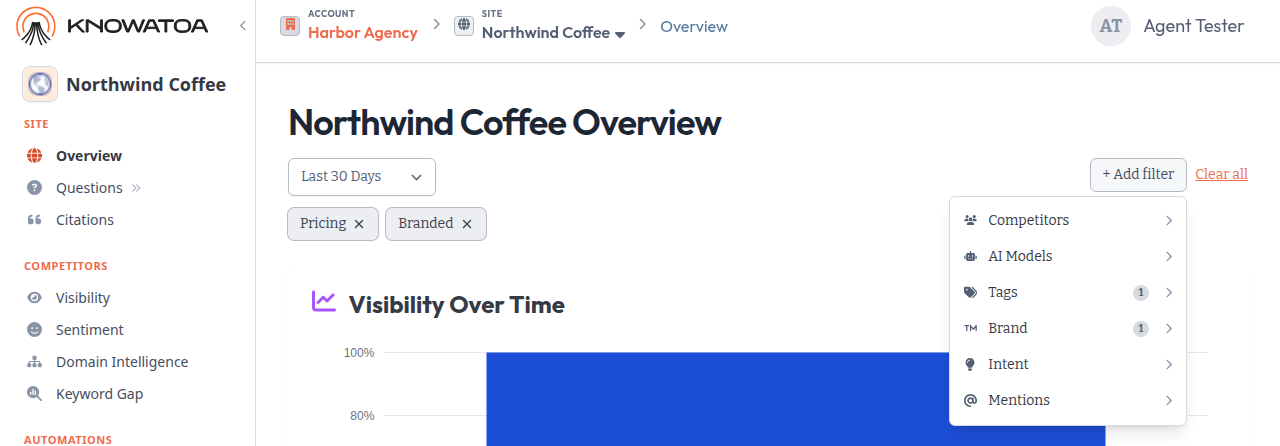
| Category | What it does | How you pick |
|---|---|---|
| Competitors | Compares against only the competitors you pick | Check one or more, then Apply |
| AI Models | Shows results from the AI search services you pick | Check one or more, then Apply |
| Tags | Shows only questions with the tags you pick | Check one or more, then Apply |
| Brand | Branded or Non-Branded questions | One click |
| Intent | Questions with the search intents you pick | Check one or more, then Apply |
| Mentions | Only Us Mentioned, Only Competitors Mentioned, or Neither Mentioned | One click |
A few things to know:
- Brand and Mentions always show. Competitors shows when your site has competitors. Tags shows once the site has at least one tag. Intent shows when at least one question has an intent.
- Apply stays gray until you change what’s checked.
- If you check two tags, you see questions with either tag.
- Tags always has a search box. Competitors gets one when you track 8 or more.
- A number next to a category shows how many of its values are applied.
- To swap a Brand or Mentions choice, click a different option.
Remove filters
Each applied filter shows as a chip under the date range. Click a chip to remove it. Click Clear all to remove every filter. Clear all keeps your date range.
Save or share a filtered view
Filters are part of the page URL. Bookmark the page to come back to the same view.
Other pages
This menu is on the Overview only. Questions, Visibility, Sentiment, and Citations keep their own filters.