

How to track several brands on one domain
Some businesses run several brands or properties on one domain. A property manager might use example-apartments.com for every apartment community they operate.
You can track each community as its own site in Knowatoa. Every site uses the same domain. What changes is the site name, the brand words, and the questions each site tracks.
What goes in the Website URL field
Website URL is the domain Knowatoa watches, not a single page. You can paste the homepage or any page. Knowatoa keeps only the domain.
For example, if you paste example-apartments.com/communities/oak-creek, Knowatoa saves example-apartments.com.
Knowatoa keeps www and subdomains as you enter them. www.example-apartments.com and blog.example-apartments.com are each saved as entered.
Add one site for each brand
There’s no limit on sites that share a domain. The question limit is per account, across all your sites. See What are Sites?.
- On the Sites page, click New Site.
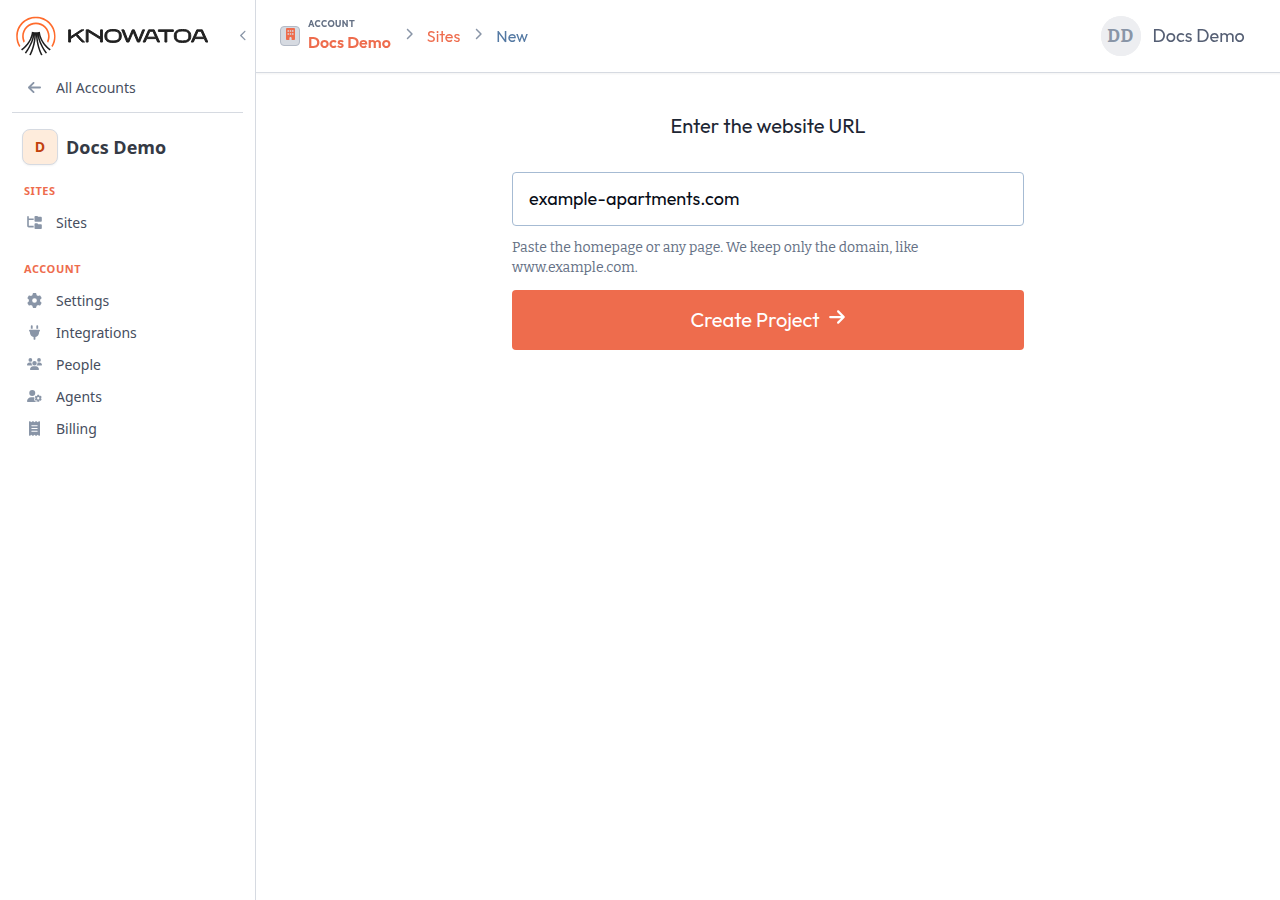
- Enter the domain, such as example-apartments.com, and click Create Project.
- Go to Site Settings > Configuration. Change Name to the community’s name, such as Oak Creek, and click Update Site.
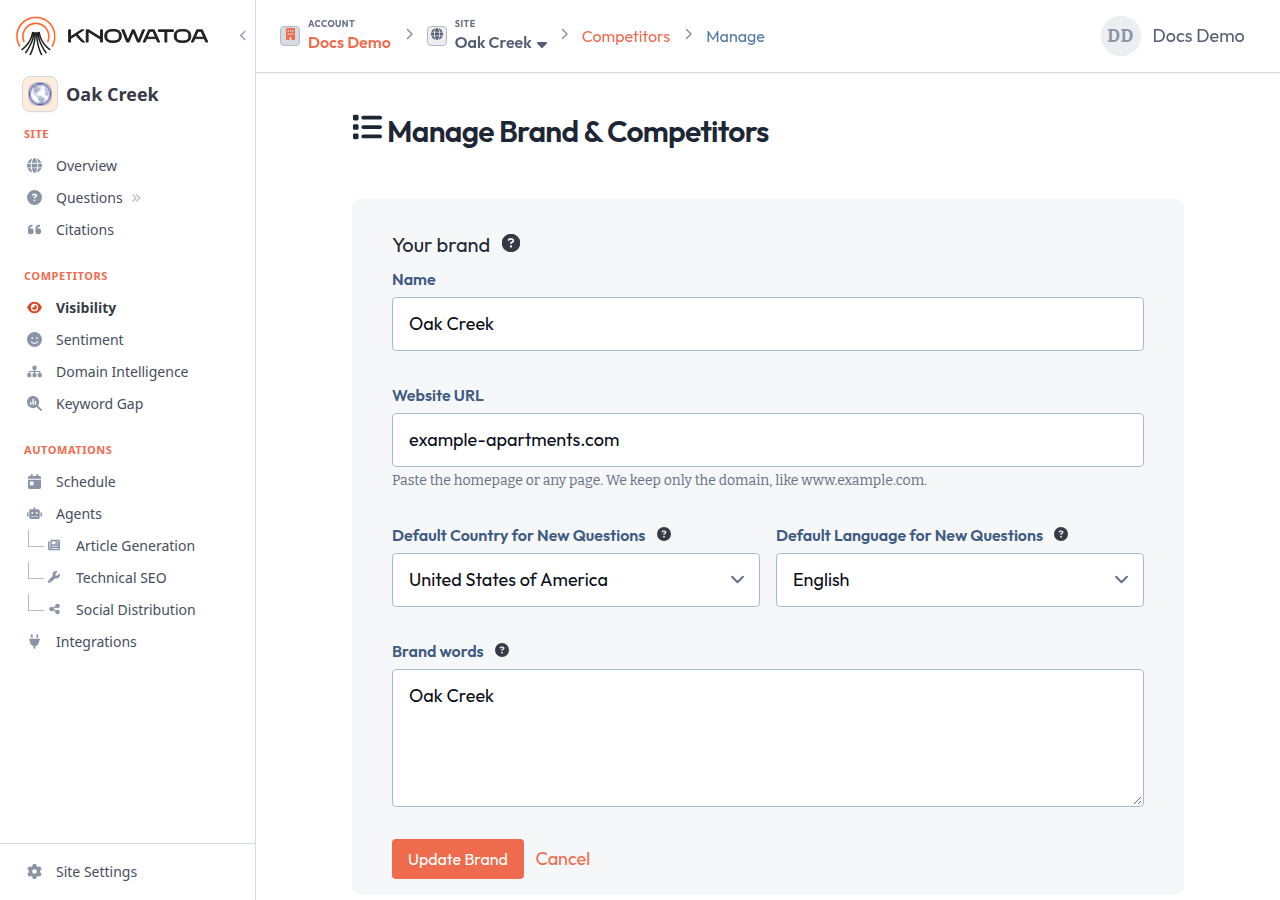
- On Manage Brand & Competitors, under Your brand, set Brand words to that community’s terms, such as Oak Creek. These are the words Knowatoa looks for in AI answers for this site. Click Update Brand.
- Add the questions that belong to that community. You can choose questions from keywords or write your own.
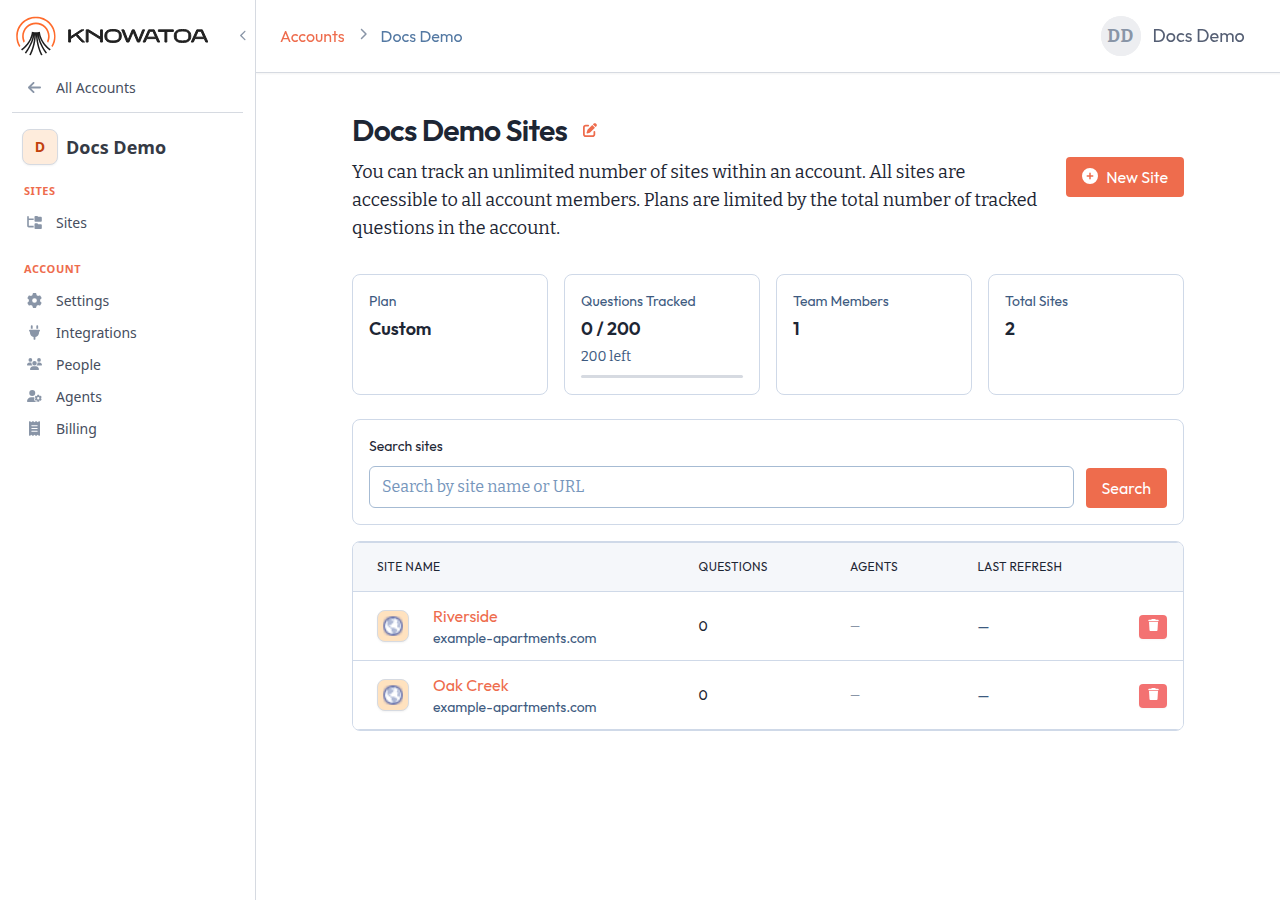
- Repeat for each community: New Site, the same domain, then a new name, brand words, and questions. For example, a second site named Riverside that also uses example-apartments.com.
What is different on each site
When several sites share a domain, give each one its own:
- Name, so you can tell the sites apart
- Brand words, so Knowatoa looks for that community’s terms
- Questions
The Website URL stays the same.
A note on Google Search Console
If you use Google Search Console keywords, they cover the whole domain, so they include every brand on it. When you choose questions from keywords for a site, pick only the ones that belong to that brand, such as queries with the community’s name.